# Bosun app and Lighthouse
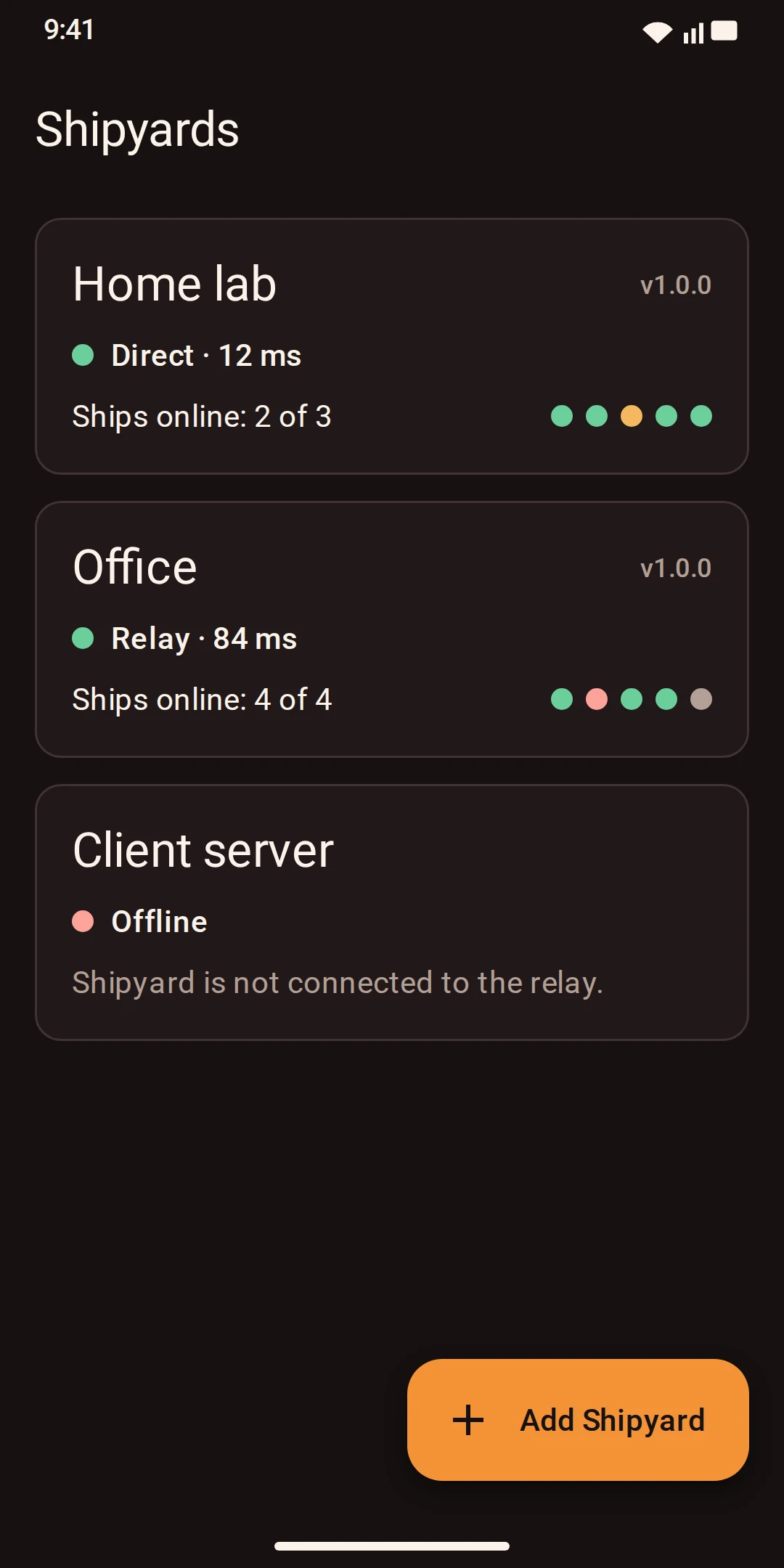
**Bosun** is the Android app for Shipyard. It keeps a list of your Shipyards — home lab, office, a client's server — and shows for each one whether it is reachable, its version, the latest runs and which ships are online.
Download for AndroidBosun APK
A Shipyard usually sits on a private network. Bosun reaches it two ways:
```text
Bosun ──HTTPS──▶ Lighthouse (public host) ◀──outbound TLS── Shipyard (private network)
Bosun ──────────────────────────────────────────────────▶ Shipyard (same network)
```
- **Direct** — on the same Wi-Fi or VPN, Bosun talks to Shipyard's own address.
- **Lighthouse** — a small relay on any public server. Shipyard connects *out* to it, so you open no ports and need no static IP. Bosun tries direct first and falls back to the relay.
Every request is encrypted and authenticated end to end with a key that only the phone and the Shipyard hold. The relay forwards bytes it cannot read and cannot forge answers. A replayed or delayed request is refused.
## 1. Enable phones on the Shipyard
```yaml
runtime:
api_token_env: SHIPYARD_API_TOKEN
remote:
name: Home lab
direct_url: http://192.168.1.10:8080 # address phones use on your network
relay: https://lighthouse.example.com # optional, see below
relay_token_env: SHIPYARD_RELAY_TOKEN
```
For direct access, Shipyard must listen on the network address (`listen: 0.0.0.0:8080`), which requires the API token. Set `direct_url`, `relay` or both, then restart.
## 2. Pair the phone
1. In the console open **Docks → Phones → Pair phone**, enter a name and click **Show pairing code**.
2. In Bosun tap **Add Shipyard** and scan the code. Bosun stores the key encrypted in the phone's keystore and tests the connection.
The code contains the phone's key and is shown once. Pair every phone separately; **Revoke** in the console cuts a phone off immediately.
## 3. Run a Lighthouse (optional)
Any small public server works — a VPS, a cloud VM, a Raspberry Pi with a public IP. One Lighthouse serves many Shipyards.
```sh
sudo install -m 0755 lighthouse-linux-amd64 /usr/local/bin/lighthouse
sudo install -d -m 0700 /etc/lighthouse
echo "LIGHTHOUSE_TOKEN=$(openssl rand -hex 32)" | sudo tee /etc/lighthouse/lighthouse.env >/dev/null
sudo chmod 0600 /etc/lighthouse/lighthouse.env
```
`/etc/systemd/system/lighthouse.service`:
```ini
[Unit]
Description=Lighthouse relay
Wants=network-online.target
After=network-online.target
[Service]
DynamicUser=yes
StateDirectory=lighthouse
EnvironmentFile=/etc/lighthouse/lighthouse.env
ExecStart=/usr/local/bin/lighthouse -autocert lighthouse.example.com -state /var/lib/lighthouse
AmbientCapabilities=CAP_NET_BIND_SERVICE
Restart=always
NoNewPrivileges=true
ProtectSystem=strict
[Install]
WantedBy=multi-user.target
```
```sh
sudo systemctl enable --now lighthouse
curl https://lighthouse.example.com/healthz
```
Point the DNS name at the server and open TCP 443. `-autocert` gets a Let's Encrypt certificate automatically; use `-tls-cert` and `-tls-key` for your own. Behind a TLS-terminating proxy that speaks HTTP/2 to the backend, run with `-plain-http`.
On each Shipyard, put the same token into the variable named by `relay_token_env` (here `SHIPYARD_RELAY_TOKEN`). The Shipyard log shows `relay tunnel up` when it is connected. The first Shipyard that registers a yard ID owns it on that Lighthouse.
## Lighthouse options
```text
lighthouse [-listen :443] (-autocert DOMAINS | -tls-cert FILE -tls-key FILE | -plain-http) [-state DIR]
```
| Option | Meaning |
|---|---|
| `-listen` | Address for HTTPS and the Shipyard tunnels; default `:443`. |
| `-autocert` | Comma-separated domains for automatic certificates. |
| `-tls-cert`, `-tls-key` | Your own certificate. |
| `-plain-http` | No TLS: only behind a proxy that terminates TLS, or for local tests. |
| `-state` | Directory for yard bindings and certificates; default `/var/lib/lighthouse`. |
`LIGHTHOUSE_TOKEN` must be set.
## Get Bosun
The APK is on [Downloads](/downloads/). Install it with `adb install bosun.apk` or open it on the phone and allow installation from that source. Bosun needs Android 8.0 or newer.
 Download for AndroidBosun APK